
Preface
With the “PRTG Element Deleter”, you can create a task within an automation that deletes groups, devices, or sensors based on user-defined conditions. Depending on the information Qbilon has collected about the IT landscape, multiple groups, devices, or sensors can be deleted in a batch. Additionally, multiple deleters can be created to address different PRTG core servers, ensuring monitoring remains compliant with actual assets across a larger IT landscape. A practical example of use is described here: Automate PRTG Monitoring.Configuration
The “PRTG Element Deleter” is one of several PRTG-specific task types that can be found in the “Data Writer” section: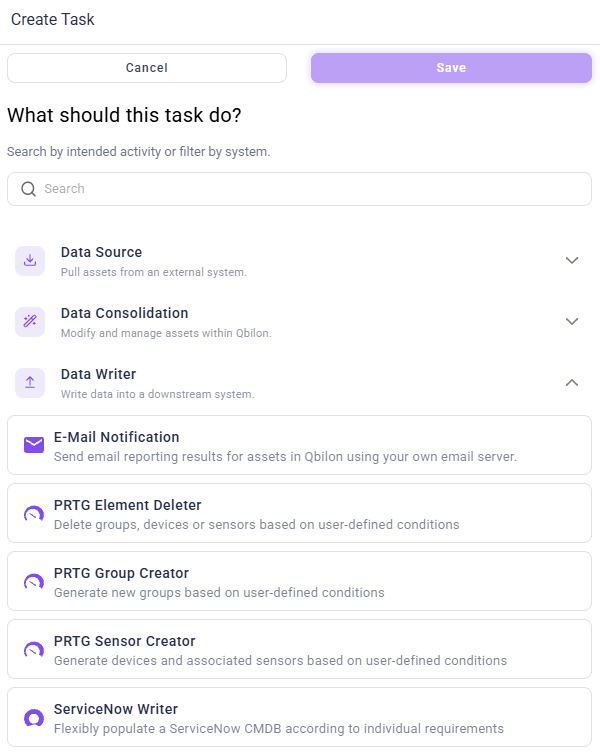
Name and Identifier
The name to be displayed for this task when it is displayed within an automation. This name is freely selectable. Qbilon automatically calculates a valid identifier from the name, which does not have to be edited by the user. The name can e.g. express for which PRTG core the task was created, if you have several core servers in use.Host and API Token
This information is required so that the PRTG Element Deleter knows which PRTG Core Server to delete groups, devices, or sensors from. Groups, devices, or sensors located on a different PRTG Core Server will be automatically ignored when deleting if they are selected through the subsequent configuration of the “Type” parameter (see below).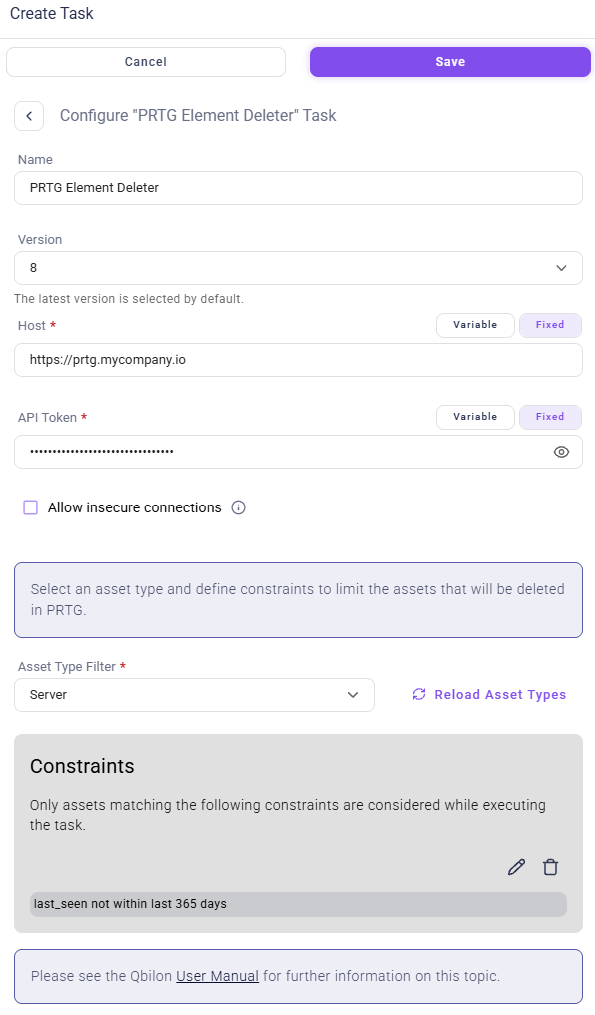
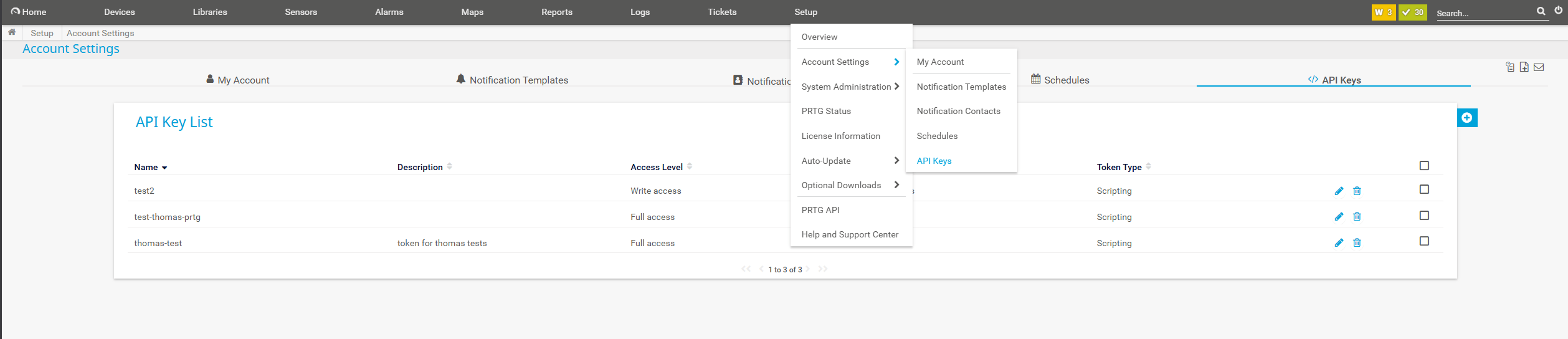
The API token created has the same access rights as the user who created it. If possible, the same user should be used as for reading the PRTG data via a PRTG connector, as otherwise the visible groups, devices and sensors may differ from those that the user will create.