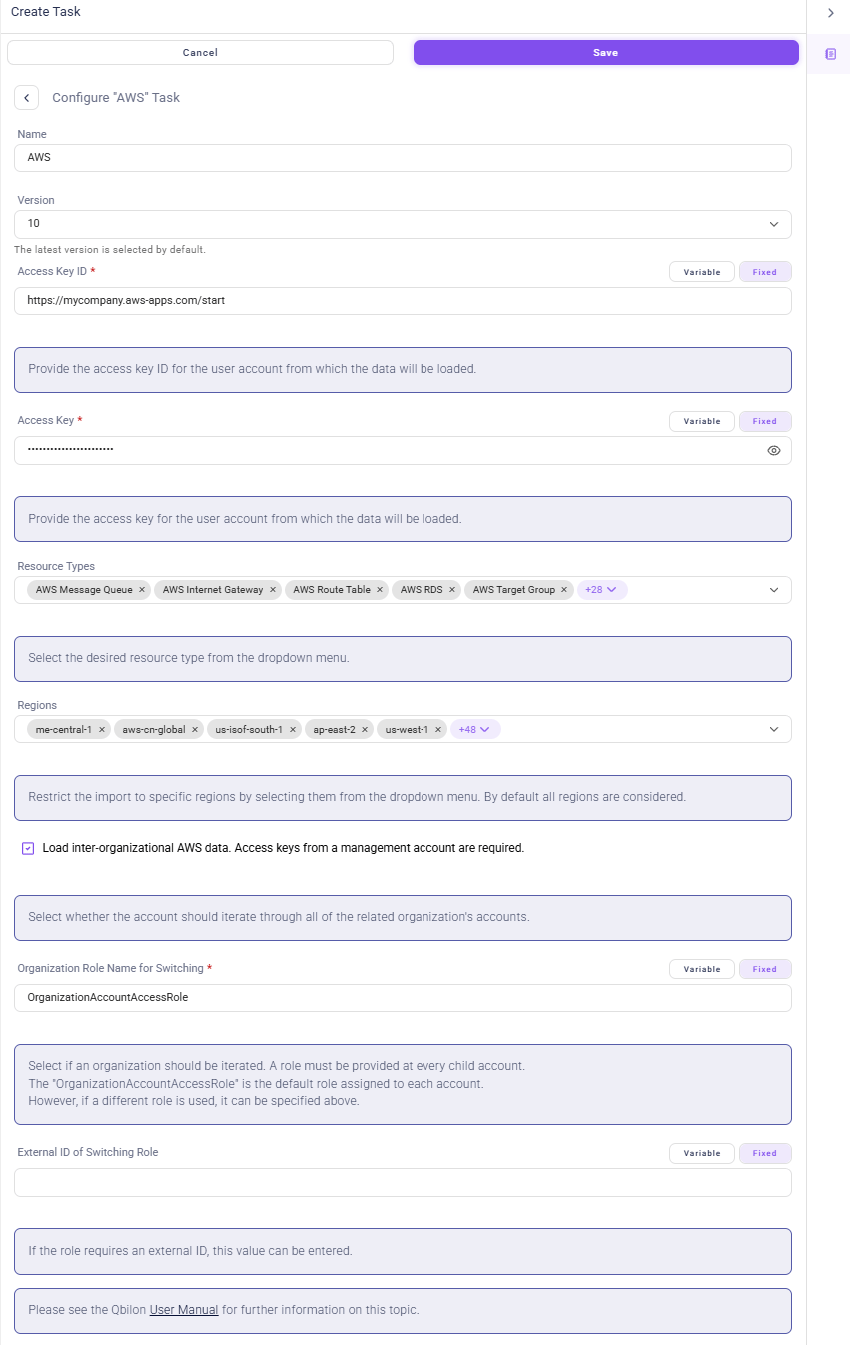
Configuration
Importing data from Amazon Web Services (AWS) requires the following information:
Table: AWS Connector Settings
Access Credentials
- Create a user (
IAM -> User) with programmatic access to your AWS landscape. - Assign the role “ViewOnlyAccess” to this user. This gives Qbilon read-only access.
- The two generated keys at the end of the user creation can be entered into Qbilon’s AWS connector settings.
- Optionally, a list of comma-separated roles can be entered below for this user in order to load the architectures. This functionality is required for organization accounts.
Resource Types
When configuring the AWS connector, different resource types (AWS services) can be selected. An always up-to-date list of supported resource types is available on our website: https://www.qbilon.io/list-of-connectors/. If you want to import more AWS services, please contact our tech team atsupport@qbilon.io.